← Back to services on the homepage

Gonseclabs service

Process automation

Give the team back the time spent repeating predictable steps.

When a team repeats the same steps every day, the tools connect and the workflow runs with checks and alerts. Less copying, more time for useful decisions.

Discuss a project →
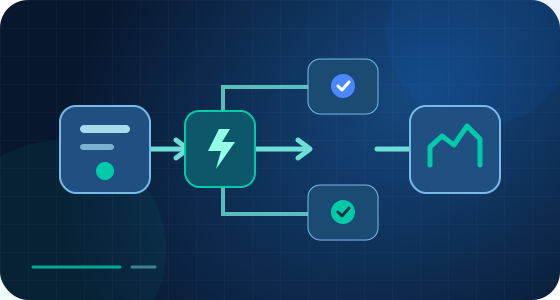
Concept illustration of process automation

When can this service help?

Copying data, preparing documents, checking statuses and sending the same notices can consume small amounts of time throughout every day. Manual steps also make omissions harder to spot. Good automation begins with the rules of the process and makes it clear when a person should review or approve something.

How the project takes shape

The workflow is examined first to select a task with clear rules and useful impact. Inputs, validation, exceptions and alerts are defined before the tools are connected through APIs or scheduled processes. Testing includes ordinary cases and failures, so the team can see what ran and what needs attention.

Real-world needs

Situations where it can help

You may be looking for a way to solve one of these problems rather than searching for the name of a service. These examples are a starting point; the scope depends on your situation and existing tools.

Staff copy information between applications every day

A website request is re-entered in the CRM or order system. If the tools can connect, a workflow can transfer and validate the data and alert someone when it fails. Starting with a specific process makes the results easier to check.

Repeated documents take hours to prepare

Quotes, certificates or reports may follow a common structure and use data already held elsewhere. Automation can create a draft while leaving approval with a person. Exceptions and data sources must be clear first.

Requests wait for someone to assign them

A form or email needs classification, ownership and a response. Rules can route clear cases, record arrival time and flag anything still pending. Ambiguous cases should remain available for human review.

Small input errors spread through many systems

A wrong code or missing field can travel far before anyone notices. Validation at entry can stop it, explain the problem and record what needs correcting.

Reconciling payments or order states means comparing lists

A person regularly compares two platforms to find differences. Part of that check can be automated, with matches identified and exceptions presented for a decision. Useful rules and tolerances need to be agreed before coding.

You discover a failed automation when a customer calls

An unattended process can hide errors for days. Logs, alerts and appropriate retries help the team see what ran, what is pending and where a person needs to intervene.

Is this the right approach for you?

Automation is most useful when the task repeats frequently and follows known rules. If the underlying process changes constantly, it is worth simplifying it first.

Common questions

Does automation remove human review?

Not necessarily. The workflow can include approval points wherever a person needs to decide.

What if a connection fails?

Suitable logs, alerts and retry mechanisms make failures visible.

What does your project need?

No technical specification is needed. Describe the current situation, what takes time and the outcome you need. That is enough to define a practical next step.

Go to contact form →