← Back to services on the homepage

Gonseclabs service

API and systems integration

Help the tools you already use share information reliably.

Your existing apps may work well individually while forcing staff to re-enter information. An integration connects them with clear rules, visibility into failures and dependable data flows.

Discuss a project →
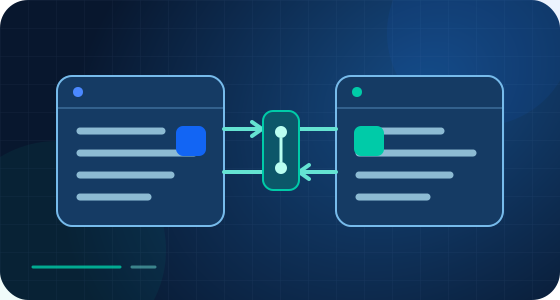
Concept illustration of api and systems integration

When can this service help?

A business can use good applications and still suffer from incomplete data because those applications do not talk to one another. Staff re-enter contacts, check payments manually or ask for an order status already stored elsewhere. A well-designed integration connects these points while keeping ownership of the data and failures visible.

How the project takes shape

The first step reviews the APIs, formats and limits of existing tools. Each data item needs a source of truth, a synchronisation schedule and a way to handle errors. The connection is tested with normal and exceptional cases. If a tool does not offer a reliable route to integration, that limitation is explained before a result is promised.

Real-world needs

Situations where it can help

You may be looking for a way to solve one of these problems rather than searching for the name of a service. These examples are a starting point; the scope depends on your situation and existing tools.

Website enquiries do not reliably reach the CRM

Someone copies each form submission into sales later. An integration can create the opportunity, preserve its source, assign an owner and make rejected data visible. Required fields and possible duplicates are reviewed first.

The shop and order system show different statuses

Customers see one state while operations works from another. The integration defines which system owns each state, when updates happen and how returns, changes and failed synchronisation are handled.

You update stock in more than one platform

A shop, warehouse and internal tool can drift apart quickly. An integration may share movements or quantities according to each tool’s capabilities. The source of truth and acceptable delay must be agreed first.

Payments, billing and customer records need to connect

A confirmed payment may trigger an account change or invoice. The connection should verify the event, avoid running twice and record what happened. Each platform’s API is reviewed before the flow is promised.

One of your tools has no clear API

Not every application provides safe, dependable data exchange. Documentation, exports, permissions and limits are reviewed before estimating work; alternatives should be explained when a reliable connection is unavailable.

A sync fails and nobody knows which records are missing

Silent errors leave systems with different information. Monitoring can identify the affected record, alert an owner and retry where appropriate. Documentation helps the team understand which system created or changed each value.

Is this the right approach for you?

Integration is useful when the current applications already do their jobs well but exchanging information between them is slow or error-prone. Connecting them may be more practical than replacing them.

Common questions

Can every application be integrated?

Not always. It depends on the available APIs, permissions and data formats.

What if an external tool changes?

Integrations need monitoring and maintenance. Controls help detect failures and adapt when requirements change.

What does your project need?

No technical specification is needed. Describe the current situation, what takes time and the outcome you need. That is enough to define a practical next step.

Go to contact form →