← Back to services on the homepage

Gonseclabs service

Custom CRM development

Give every customer conversation context and a clear next step.

Keep opportunities from disappearing into inboxes or spreadsheets. A tailored CRM brings customers, conversations, tasks and proposals into a sales workflow your team actually follows.

Discuss a project →
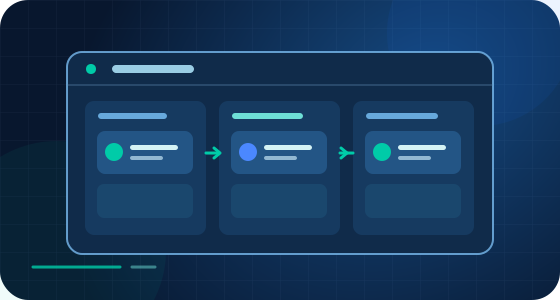
Concept illustration of custom crm development

When can this service help?

When contacts live in a spreadsheet, proposals in a shared drive and follow-up in individual inboxes, the team can lose track of what was agreed. A custom CRM brings those activities into one place and follows your actual sales cycle rather than forcing an unrelated template onto it.

How the project takes shape

The project defines the information each role needs, how opportunities move through the pipeline and what actions happen at each stage. Views, permissions and useful automations follow, with forms and existing systems connected where possible. Starting with the core workflow makes adoption easier.

Real-world needs

Situations where it can help

You may be looking for a way to solve one of these problems rather than searching for the name of a service. These examples are a starting point; the scope depends on your situation and existing tools.

You cannot see which opportunities need attention today

Quotes go out, but the next step remains in each salesperson’s memory. A CRM can show stage, owner, due date and pending task together, giving the team a shared view of conversations that need follow-up.

Leads arrive through several channels and become duplicates

Web forms, calls and emails create separate lists with incomplete records. A CRM can gather the entries, detect possible matches and assign opportunities. Data quality is reviewed before old contacts are imported.

A change of account owner loses customer context

When someone is away, colleagues cannot find the proposal, conversation or commitment made. A shared record with activity and documents makes continuity easier, with permissions that reflect each person’s role.

Your sales process does not fit a standard pipeline

Project sales, renewals and multiple business lines can require different stages. A tailored CRM can represent those steps and responsibilities, though configuring the existing product should be checked first.

Sales and billing require the same data twice

An accepted opportunity is copied into another system as a customer or order. Where the tools allow integration, the CRM can transfer the needed information and make errors visible, with a clear owner for each data item.

Reporting means collecting spreadsheets from the team

If managers must ask several people to know which proposals are still open, the information is not ready for decisions. Useful CRM views depend on data the team can record naturally during everyday work.

Is this the right approach for you?

This fits when sales follow-up has outgrown disconnected tools or when a standard CRM creates too many workarounds. Available products are reviewed before a custom build is proposed.

Common questions

Can existing contacts be imported?

Usually. Data quality and format are checked first so that duplicates and gaps are not carried over.

Can the sales team use it first?

Yes. A focused rollout is often the best way to learn what the wider organisation needs.

What does your project need?

No technical specification is needed. Describe the current situation, what takes time and the outcome you need. That is enough to define a practical next step.

Go to contact form →